Tag: ecs

  • 2D World Pivot

    2D World Pivot

    Building a 2D Animation Lab: From Stickman to Shared Worlds

    An open-source journey inspired by MUGEN

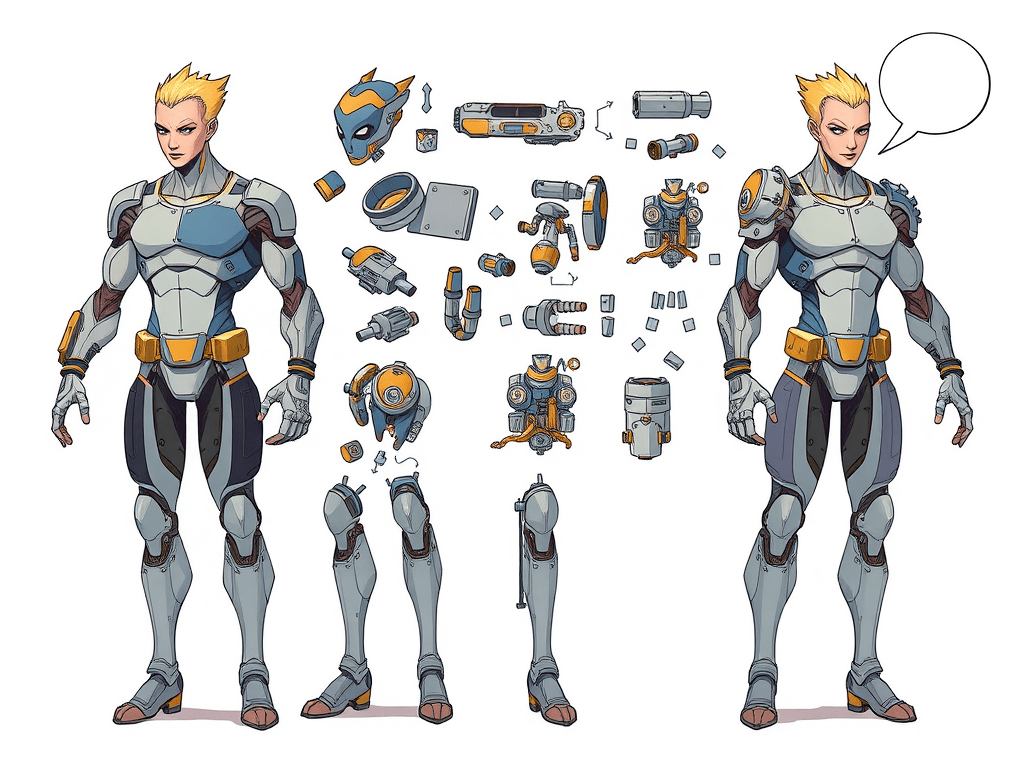
    Illustration of stickman characters evolving into fully-rigged fighters

    How a Family Project Sparked a Bigger Vision

    This adventure began as a rainy-weekend coding exercise with my daughter and nephews. Our goal was simple: turn a stickman doodle into a playable character. Their creativity quickly outgrew our prototype, pushing me to rethink how portable our characters could be across different games.

    “Wouldn’t it be cool if our stickman could travel to any world we build next?” — My nine-year-old co-designer

    Remembering MUGEN & the Power of Community Mods

    Back in the early 2000s, the M.U.G.E.N engine gave budding game designers like me a playground to create custom fighters. It was open, moddable, and wildly creative. That ethos still resonates, and it’s the spirit I’m channeling into this 2D Animation Lab.

    What Makes a Character Truly Portable?

    Beyond sprite sheets, a portable character needs a rig—bones, constraints, and animation data that can be re-targeted. My lab focuses on:

    • Skeleton-based animation for resolution independence.
    • Procedural movesets that adapt to new physics systems.
    • An open asset format anyone can extend.

    Under the Hood: Tools & Techniques

    I’m building with TypeScript , HTML5 Canvas , and a sprinkle of WebGL for performant previews. The engine is framework-free (think micro-ECS), so contributors can drop in without wrestling heavyweight dependencies.

    Join the Lab

    If you’re passionate about open-source fighting games, procedural worlds, or just tinkering with animation rigs, check out the GitHub repo and share your ideas. The goal is to make the next-gen MUGEN together.

    © 2025 Neils Haldane-Lutterodt • All opinions are my own.
  • Creating Modular 3D Worlds: Key Techniques and Innovations

    Creating Modular 3D Worlds: Key Techniques and Innovations

    Building a Modular 3D World Layer

    An Interactive Exploration of Core Systems

    A. Procedural Terrain Generation

    This section explores the algorithmic creation of vast, detailed landscapes. The primary goal is to generate large-scale worlds with rich variety while balancing performance and quality.

    Heightmap Algorithm Comparison

    We compare three foundational algorithms—Diamond-Square, Perlin Noise, and Simplex Noise—on visual quality, performance, and implementation complexity.

    Algorithm Visual Quality
    (1–10)
    Performance
    (Higher is Better)
    Complexity
    (Lower is Easier)
    Diamond-Square 6 8 3
    Perlin Noise 8 7 5
    Simplex Noise 9.5 9 7

    Key Takeaway:

    Diamond-Square is easy but prone to artifacts. Perlin Noise is a classic choice. Simplex Noise delivers the best overall balance (fewer artifacts, better performance), and its patent expired in 2022—making it ideal for new development.

    LOD and Chunking Strategies

    Rendering an entire high-detail world at once is infeasible. Level of Detail (LOD) techniques break the world into chunks and adjust detail based on distance from the viewer.

    GeoMipmapping

    Uses precomputed, lower‐resolution versions of terrain chunks. Efficient but requires careful seam‐handling (“T‐junctions”) to avoid cracks.

    Quadtree Management

    Organizes terrain chunks hierarchically. Enables efficient culling and LOD selection, and is vital for streaming large worlds from disk.

    B. Sky & Atmospherics

    Realistic sky rendering sets the mood for outdoor scenes. We simulate atmospheric scattering (the physics behind blue skies and red sunsets) and compare two analytical models: Preetham and Hosek-Wilkie.

    Atmospheric Scattering Model Comparison

    The Preetham model is fast but simplified; Hosek-Wilkie is more accurate—especially at sunset—though slightly more costly. Below is a summary.

    Metric Preetham et al. Hosek-Wilkie
    Performance (1–10) 9 7
    Daytime Realism (1–10) 7 9
    Sunset/Sunrise Realism (1–10) 4 9
    Haze/Turbidity (1–10) 5 8

    Key Takeaway:

    Hosek-Wilkie offers superior physical accuracy—ideal for realistic sunsets or hazy atmospheres—at the cost of slightly lower performance. In most high‐fidelity applications, Hosek-Wilkie is recommended, though blending with other techniques for night skies can mitigate its low‐angle artifacts.

    Dynamic Effects

    Day/Night Cycles

    Animate the sun’s position over time. This drives sky color, light intensity, and an eventual transition to a night sky with stars or moon.

    Volumetric Clouds

    Ray‐march a 3D noise field for realistic cloud shapes. This is computation‐heavy; use adaptive sampling and resolution scaling for real‐time performance.

    C. Wind & Weather

    Dynamic effects like wind and weather bring a virtual world to life. Here we cover procedural wind fields, GPU‐driven particle systems, and an event‐driven approach for smooth weather transitions.

    Core Techniques

    Noise-Driven Wind Fields

    A 3D procedural noise field (e.g., Simplex noise) defines a dynamic vector field for wind. Other systems query this field at any location to get consistent wind direction and strength for foliage and particles.

    Particle Systems for Weather

    Rain, snow, and fog are rendered using GPU‐accelerated particle systems. Each particle’s movement is updated by physics (gravity) and forces from the global wind field.

    Event‐Driven Weather Transitions

    Coordinating sky, lighting, particles, audio, and materials requires a modular solution. The central WeatherManager publishes a WeatherChangeEvent. Each subscribed system reacts independently, ensuring a cohesive transition.

    WeatherManagerSystem
    Event Bus: WeatherChangeEvent
    SkySystem
    LightingSystem
    WindSystem
    ParticleSystem
    AudioSystem
    MaterialSystem

    D. Lighting & Physically Based Rendering (PBR)

    Physically Based Rendering (PBR) uses realistic material properties and lighting models that conserve energy. We cover HDR Image‐Based Lighting, Cascaded Shadow Maps, and the importance of maintaining real‐world scale.

    Key Lighting Techniques

    HDR Image-Based Lighting (IBL)

    Use HDR environment maps for realistic ambient light and reflections. A PMREMGenerator pre‐filters the map for various material roughness levels—essential for accurate PBR.

    Cascaded Shadow Maps (CSM)

    For large worlds, split the camera frustum into cascades. Each cascade gets its own shadow map, ensuring fine detail close to the viewer and broader coverage farther away.

    Critical Prerequisite: Scene Scale

    For physically correct lighting attenuation, the 3D scene must use a real‐world scale. In Three.js, 1 unit = 1 meter is the convention, ensuring light intensity values behave predictably.

    E. ECS Integration & Configuration

    The Entity Component System (ECS) pattern separates data (components) from logic (systems), offering maximum modularity. Below is a simplified diagram illustrating how entities, components, and systems interact in our world layer.

    Entity (ID)
    Component
    PositionComponent
    Component
    FoliageComponent
    Component
    RenderableComponent
    System
    Processes entities with PositionComponent + FoliageComponent
    FoliageAnimationSystem

    F. Performance & Robustness

    A visually rich world must also run efficiently and remain stable. Below are key strategies for optimizing data structures, reusing objects, and offloading heavy work to maintain performance on target hardware.

    Key Optimization Strategies

    Spatial Data Structures

    Use Quadtrees (for 2D/2.5D) or Octrees (for 3D) to quickly query nearby objects. Crucial for LOD selection, culling, collision detection, and localized queries (e.g., “what’s the wind speed here?”).

    Object Pooling

    Frequently creating/destroying objects (terrain chunks, particles) causes GC stutter. Pooling recycles objects for reuse, improving performance for dynamic systems.

    Offloading to GPU & Workers

    Heavy computations (noise generation, particle updates, vertex animation) go on the GPU via shaders. CPU‐bound mesh generation can move to Web Workers, keeping the UI thread responsive.

    Testing & Debugging

    Ensure robustness with unit tests for individual systems and integration tests for system interactions. Runtime debug tools (e.g., lil-gui) are invaluable for real‐time tuning and diagnostics.

    Interactive report rendered as a static blog post per WordPress.com constraints.

  • Thoughts on ECS Guide for Game Design

    Thoughts on ECS Guide for Game Design

    Foundations Architecture Performance Frameworks Implementations


    Foundations of ECS

    This section introduces the core principles of the Entity Component System (ECS) architecture. We’ll explore the fundamental building blocks—Entities, Components, and Systems—and understand the paradigm shift from traditional Object-Oriented Programming (OOP) towards a more flexible, data-oriented design. This foundation is key to grasping the performance and modularity benefits of ECS.

    🆔
    Entity
    A simple ID. It has no logic—just a handle for attaching components.
    📦
    Component
    Pure data (e.g., Position, Health). No methods—just state.
    🧠
    System
    Pure logic—code that operates on entities with specific components.

    Architectural Design

    Effective ECS architecture hinges on thoughtful design of its core parts. This section explores crucial design considerations for components and systems, including how to manage their scope, ensure data purity, and facilitate communication between them. We also cover strategies for handling global data that doesn’t naturally fit within individual entities.

    Component Design

    • Granularity: Components should be small and focused. Too large, and you lose composition benefits; too small, and you create unnecessary complexity.
    • Data Purity: Components must contain only data, no logic or methods. This separation is key to the entire ECS pattern.
    • Reusability: Design components to be general-purpose so they can be combined in novel ways to create new entity types.

    System Design

    • Single Responsibility: Each system should perform one specific task (e.g., MovementSystem, DamageSystem).
    • Execution Order: The order systems run in is critical. A PhysicsSystem must run before a MovementSystem. Manage this with explicit ordering or dependency graphs.
    • Communication: Systems communicate indirectly by modifying component data. For discrete events (e.g., ‘PlayerDied’), an Event System is often used to maintain decoupling.

    Performance Engineering

    One of the primary reasons to adopt ECS is for performance. Here, we compare two memory layouts: AoS (Array of Structures) vs. SoA (Structure of Arrays). You’ll see why SoA is far more cache-friendly.

    Memory Layout: AoS vs. SoA

    Array of Structures (AoS) – Inefficient

    Entity 1: [Position, Velocity, Health]
    Entity 2: [Position, Velocity, Health]
    Entity 3: [Position, Velocity, Health]
    

    A system updating only “Position” must load and then discard all other component data for each entity.

    Structure of Arrays (SoA) – Efficient

    Positions: [Pos 1, Pos 2, Pos 3]
    Velocities: [Vel 1, Vel 2, Vel 3]
    Healths: [Health 1, Health 2, Health 3]
    

    A system updating positions reads only the “Positions” array sequentially—maximizing cache usage.

    Framework Comparison

    The ECS landscape is rich with open-source frameworks in C#, C++, and Rust. Below is a static table showing relative scores (out of 10) for key criteria. Hover effects and radar charts aren’t possible here, but this table gives you the same data at a glance.

    Framework Performance API Ergonomics Feature Set Ecosystem Parallelism Debug Tools
    Unity DOTS (C#) 9 6 8 9 10 8
    EnTT (C++) 10 7 9 7 7 5
    Flecs (C++) 9 8 10 8 8 9
    Bevy ECS (Rust) 8 9 8 8 9 7

    Practical Implementations

    Theory is one thing—how does ECS apply to real-world game systems? Below are examples of Movement/Combat, AI/Behavior, Player/UI, Inventory/Crafting, and Networking. Each “card” shows which components and systems you might define in an ECS for that feature.

    Core Gameplay: Movement & Combat

    Movement/Physics System

    Components:

    • TransformComponent (pos, rot, scale)
    • VelocityComponent (linear, angular)
    • CollisionComponent (shape, material)
    • RigidBodyComponent (mass, drag)

    Systems:

    • PhysicsSystem: Detects and resolves collisions.
    • MovementSystem: Applies velocity to transform.

    Combat/Health System

    Components:

    • HealthComponent (current, max)
    • WeaponComponent (damage, range)
    • ArmorComponent (defense)
    • AttackActionComponent (tag)

    Systems:

    • CombatSystem: Resolves attacks, calculates damage.
    • HealthSystem: Applies damage/healing, checks for death.

    AI & Behavior: Decision Making & Pathfinding

    Decision Making (Behavior Tree)

    Components:

    • AIComponent (personality)
    • PerceptionComponent (sensed entities)
    • BehaviorTreeComponent (runtime state)
    • GoalComponent (current objective)

    Systems:

    • PerceptionSystem: Updates what the AI sees/hears.
    • BehaviorTreeSystem: Executes the BT logic.

    Pathfinding System

    Components:

    • PathRequestComponent (target pos)
    • PathResultComponent (waypoints)
    • MovementComponent (to follow path)

    Systems:

    • PathRequestSystem: Initiates path calculations.
    • PathFollowingSystem: Moves the entity along the path.

    Player & UI: Input & Inventory

    Input & UI Systems

    Components:

    • PlayerInputComponent (moveVector, actions)
    • (Hybrid) UI is managed by traditional OOP code, not ECS components.

    Systems:

    • InputSystem: Reads hardware and updates PlayerInputComponent.
    • UISystem: Reads ECS data (e.g., Health) and updates traditional UI elements.

    Inventory & Crafting Systems

    Components:

    • InventoryComponent (item list, capacity)
    • ItemComponent (itemID, stackSize)
    • CraftingRecipeComponent (ingredients, output)

    Systems:

    • InventorySystem: Adds/removes items from inventory.
    • CraftingSystem: Checks recipes and inventory, then crafts items.

    Networking: Synchronization & Prediction

    Synchronization System

    Components:

    • NetworkIDComponent (unique across network)
    • SynchronizedComponent (tags data to be sent)

    Systems:

    • StateSnapshotSystem (Server): Captures state of synced entities.
    • StateApplySystem (Client): Applies snapshots to remote entities (with interpolation).

    Client Prediction & Reconciliation

    Components:

    • InputHistoryComponent (client-side buffer)
    • PredictedGhostComponent (for predicted entities)

    Systems:

    • ClientPredictionSystem: Runs player logic immediately on the client.
    • ServerReconciliationSystem: Corrects local state once the server’s authoritative update arrives.